

Dressmaker on Steam Deck: Compatibility and the Real Problem
Dressmaker is rated Playable on Steam Deck and runs fast. The obstacle is the mouse-driven interface, and here is what players try and what is still pending.
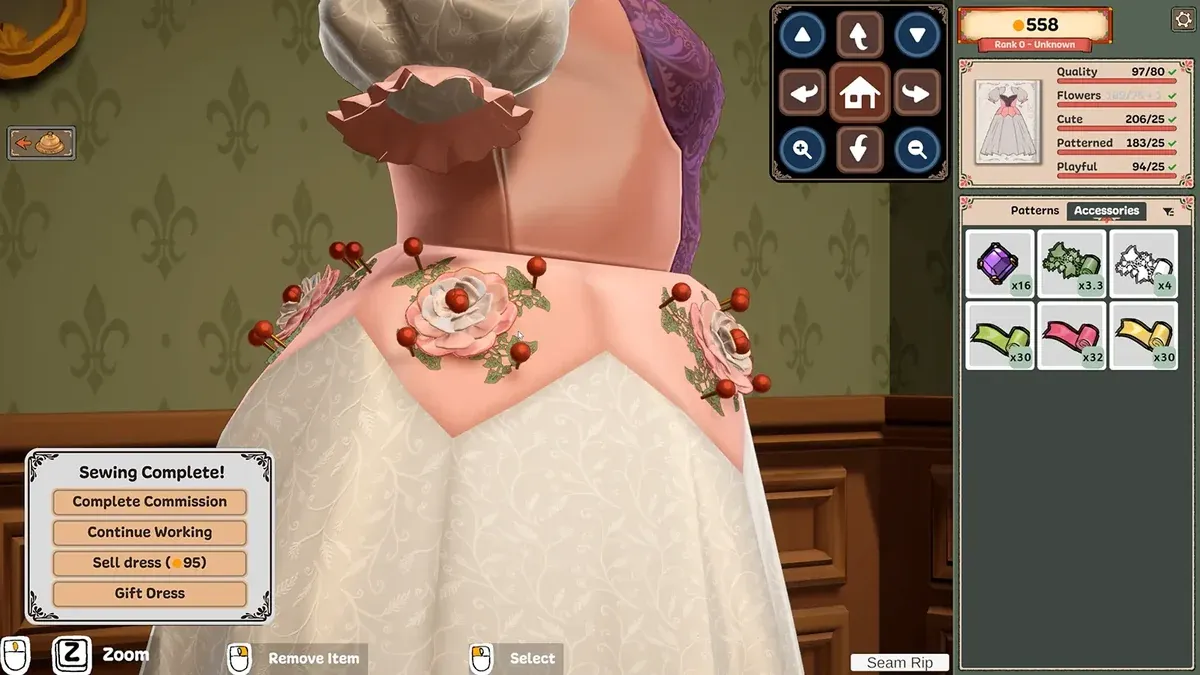
Dressmaker carries a Playable Steam Deck rating, and the developers say it runs fast on the device. Performance is not the problem. Input is. The interface is built around a mouse pointer for measuring, pattern layout and seam sewing. The recurring complaint from handheld players is that they cannot zoom in on the mannequin.
The developers have said what they intend to do about it, and it is on the planned list rather than in the build: they want to add proper controller support.
What is officially confirmed
| Item | Status |
|---|---|
| Steam Deck compatibility rating | Playable |
| Performance, per the developers | Runs fast on the Steam Deck |
| Controller support | Planned, described as something they still want to add |
| Mouse-only play | Listed as a supported control option on the store page |
| Timed input | Listed as optional, so no sequence forces a reaction time |
That last row is worth knowing. The store page lists “Mouse Only Option” and “Playable without Timed Input” among the game’s features, which means the design already assumes slow, precise pointing rather than reflex.
What players actually report
The feedback is consistent and specific.
- Zooming the mannequin. A Steam review described the game as a bit clunky on the Deck and said the reviewer still could not manage to zoom in on the mannequin. A discussion thread is titled “Can’t zoom in” for the same problem on desktop.
- General fiddliness. The same review called it something to get the hang of rather than unplayable, and said the reviewer would try it on PC.
- Sewing controls. A separate discussion thread asks for the sewing stage to use a different control scheme.
- A help request. One thread is simply titled “Steam Deck HELP”, which tells you players are arriving at the device expecting to need setup.
None of this is a verdict that the game is bad on a handheld. It is a verdict that the interface was designed for a pointer.
Five things worth trying on the handheld
None of these are official instructions. They are the settings and input options that follow from what the store page lists and what players report working.
- Use the right trackpad as a pointer. The game wants a cursor. A trackpad gives you one without emulating mouse mode with the stick.
- Check the community controller layouts. Because the game lists mouse-only play, other players have already built mappings worth trying.
- Consider a Bluetooth mouse. If you mainly play at home, this removes the problem entirely and is the fastest fix.
- Turn on sewing assist. It matters more here than on desktop, because the thumbsticks are less precise than a mouse for following a seam.
- Drop the sewing machine speed. Slower seams are easier to hold on a small screen, and the speed is adjustable mid-seam.
What you cannot fix yourself
The zoom and general pointing behaviour belong to the interface, not to your settings. There is no toggle on the store page that addresses them, which is why the developers’ own phrasing matters: they want to give the game proper controller support. Until that arrives, a handheld player is working with a mouse-first design.
If the controls stay unusable for you, the right move is to report it rather than to keep fighting. The developers ask for bug reports with the save file attached, and the official links page says where.
When to switch to a desktop for one commission
Two stages punish a small screen. Measuring is one, because the tape has to be dragged onto a specific point. Pattern layout is the other, because fitting pieces tightly is a spatial puzzle. A commission with a demanding brief can be worth finishing on a desktop and then returning to the handheld.
Sewing itself is stage-neutral. Once the assist is on and the speed is sensible, it plays the same way anywhere. The sewing guide covers those settings in detail, and the system requirements page covers the desktop hardware question.
Related Articles
guide
Dressmaker Sewing Guide: Assist, Speed and When a Seam Goes Wrong
How the Dressmaker sewing stage works, the two settings that make it manageable, a repeatable approach to every seam, and why the game has no skip option.
guide
Dressmaker Trim Placement: Build 443 Controls
Fast Trim Placement, the trim duplicate button, end-node selection and negative heights arrived in Build 443. How each control works and when to use it.
release
Dressmaker Platforms: PC, Switch, Mobile, PS5 and Xbox Status
Dressmaker is on Windows and macOS today with Steam Deck rated Playable. Switch and mobile ports are planned without a date, and PS5 and Xbox were never announced.